Apple Intelligence vs cloud AI for meeting notes: what really happens to your audio
A side-by-side look at two architectures for turning a meeting into a summary — one where your audio travels to a vendor, one where it never leaves your phone.
Published April 14, 2026 · 10 min read
Two apps on your iPhone can produce meeting notes that look almost identical on the screen. Underneath, they can do completely different things with your audio. One builds its product by shipping your voice to a third-party datacenter for processing, retaining it there, and returning a transcript over the network. The other runs Apple Intelligence directly on the iPhone in your pocket, producing the same output without the datacenter, the retention, or the network.
The output is similar. The privacy surface is not. This post is an architectural comparison of the two pipelines, why the difference matters more than the marketing usually admits, and the cases where the cloud is still the right answer for a given team.
Two pipelines for the same job
The product both types of tools promise — a structured summary of a meeting — involves two compute-heavy tasks. A speech-to-text model turns audio into a transcript. A language model turns that transcript into a summary, action items, or meeting minutes. Until very recently, doing both of those on a phone in reasonable time was not realistic. Cloud services filled the gap by moving the compute to rented GPUs, then moving the data that the compute needs.
Apple Intelligence, introduced with recent iOS versions, and the on-device speech frameworks that ship with iOS 26 and later, close that gap. Both tasks now run on the Neural Engine built into supported iPhones. The difference between a cloud meeting-notes app and an on-device one is no longer a difference in capability; it is a difference in where the data lives and who has access to it during processing.
How cloud meeting tools process audio
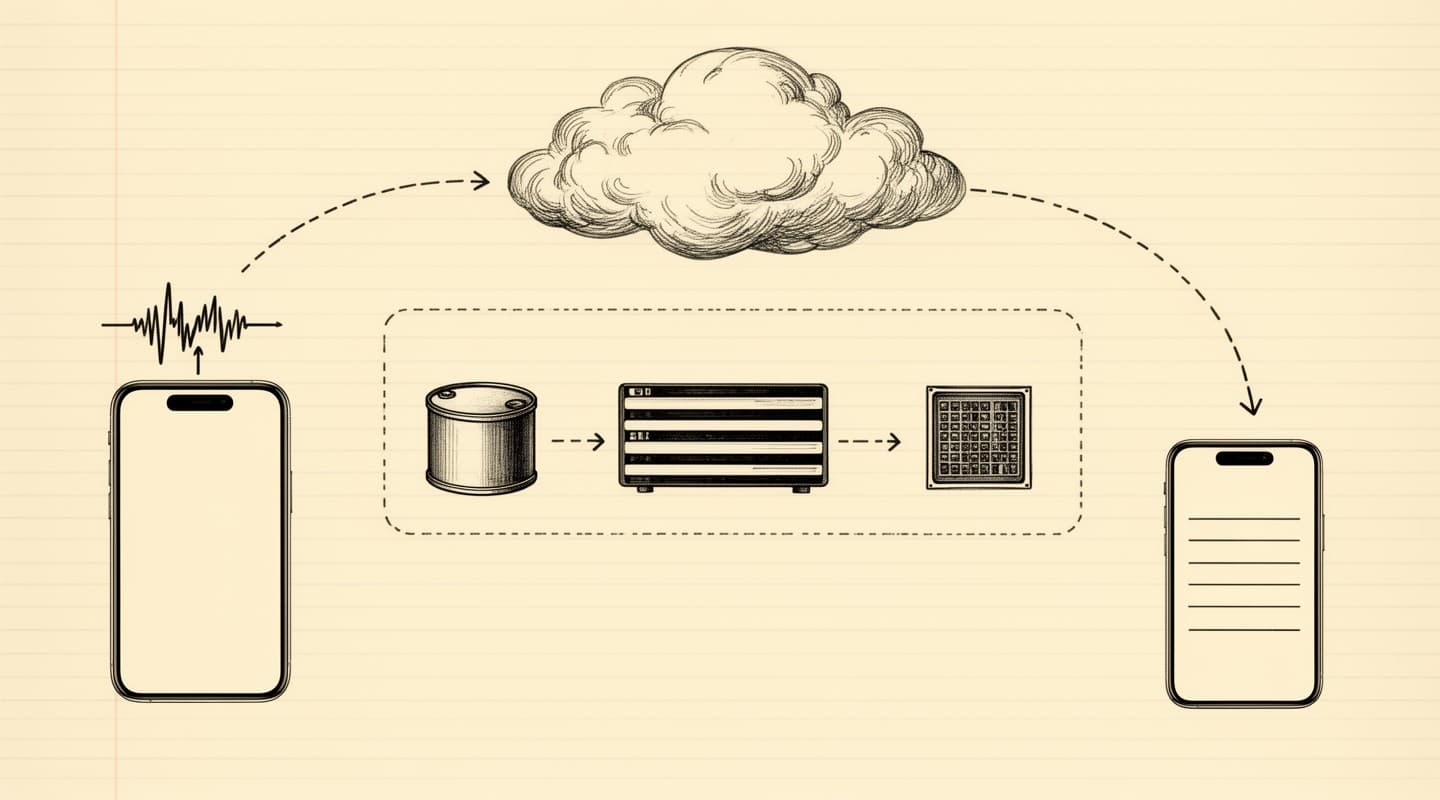
A cloud meeting-transcription service follows the same general pipeline regardless of which vendor you pick. The iPhone app uploads the recording to the vendor's backend over HTTPS. The backend writes the audio to object storage and queues a transcription job. A speech-to-text model processes the file, often on rented GPUs, and writes the transcript to a database. A second job sends the transcript to a hosted large language model — either the vendor's own or an upstream provider — which produces the summary. The finished output is returned to the app. At each step the data is touched by infrastructure the vendor controls, and typically by subprocessors the vendor has signed. Every subprocessor is another party with some level of access. The architecture is standard and well-run in competent vendors; the surface is inherent to the shape of the pipeline, not to how carefully any one vendor runs it.
What Apple Intelligence does on-device
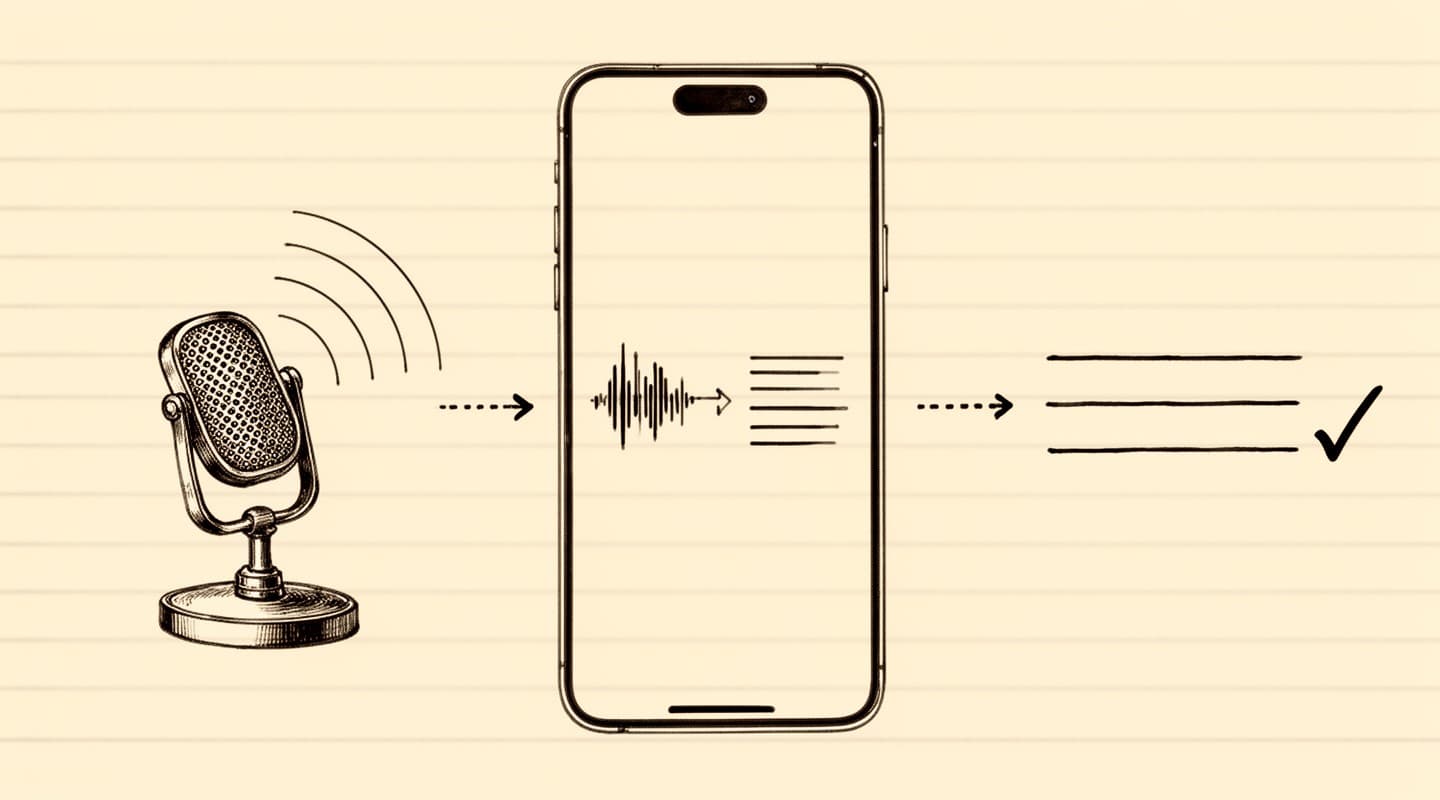
The Apple Intelligence stack on a capable iPhone runs a different architecture for the second half of the pipeline. Instead of sending the transcript to a hosted language model, the app passes the transcript to a language model that is already resident on the device — part of Apple's Foundation Models framework. The model reads the transcript out of application memory, runs inference on the Neural Engine, and writes the result back into application memory. No network call is involved in the generation step.
The speech-to-text half is structurally similar. The native Speech framework on iOS 26 and later runs recognition against an on-device model. The models are large — they are downloaded as part of the operating system — but they live on the phone rather than in a datacenter, and the transcription process reads the audio file directly from local storage.
An Apple Intelligence-based meeting app has no datacenter dependency for the core product. If your iPhone is in airplane mode, the entire transcription and summarization flow still completes. The full architecture of a specific app — Meeting Summarizer, for this discussion — is documented on the how it works page.
The privacy surface compared
The difference in privacy surface is best understood as an inventory of places your meeting data exists at any point.
For a typical cloud transcription service, the inventory includes:
Your phone, during recording.
The vendor's upload endpoint, during transport.
The vendor's object storage, during and after processing.
The vendor's transcription pipeline and its subprocessors.
The vendor's language-model provider, if summaries are produced using a hosted third-party model.
The vendor's database, holding the transcript, the summary, and often a retention copy of the audio.
Every employee or contractor at the vendor or its subprocessors with administrative access to the storage and database layers.
Any legal process — subpoena, search warrant, national security letter — served on the vendor or the subprocessor.
For an on-device meeting app built on Apple Intelligence and SpeechAnalyzer, the inventory is shorter:
Your phone, during recording, transcription, summarization, and storage.
Apple's own frameworks run locally. The app that uses them does not need an upload path, a backend, or a database. When there is no server, there is nothing to subpoena from a vendor; when there is no account, there is no data set to sell in an acquisition; when there is no retention period, there is no policy change that retroactively extends one.
This is not a statement about how careful a specific cloud vendor is. Many cloud vendors run very careful operations. It is a statement about what architecture permits versus forbids. A cloud pipeline permits many things that an on-device pipeline forbids simply because it cannot do them.
Where on-device AI has limits
On-device meeting processing is not a universal upgrade. There are real trade-offs.
Hardware requirement. Apple Intelligence runs on a specific subset of iPhones. You need a device that supports the framework, and iOS 26 or later. Older iPhones and iPads, and all Android devices, cannot run the stack. Cloud transcription services work on everything that has a browser.
Single-device by design. A transcript generated on your phone lives on your phone. If you want it on a laptop, you export it — over AirDrop, iCloud, email, or any mechanism you choose. Cloud services hand you cross-device sync and multi-user access out of the box because the source of truth is on their server. The on-device model trades that convenience for the privacy posture.
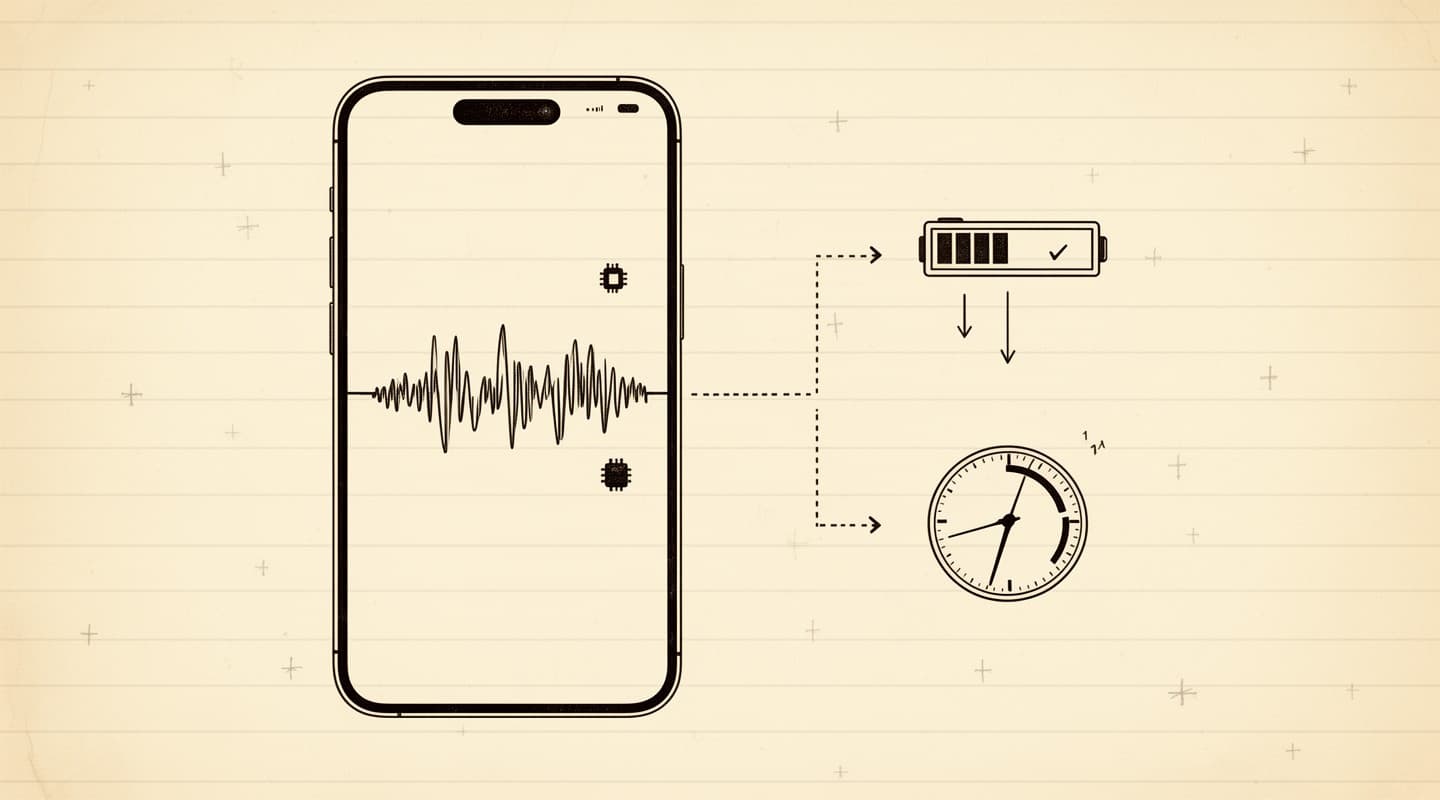
Battery and time. Running a language model on the Neural Engine is more expensive in battery terms than sending the transcript over the network would be. A long summary adds tens of seconds to a minute or two of on-device compute, depending on transcript length. For short meetings, the difference is invisible. For an hour-long meeting, you will notice a perceptible processing step.
Model ceiling. The Foundation Models that ship with Apple Intelligence are capable but smaller than the frontier cloud models. For most meeting-summary tasks — action items, minutes, follow-up emails — the quality difference is not what decides the outcome. For specialized tasks like legal-document-style drafting from a raw transcript, a frontier cloud model may still produce output a user prefers.
The decision is ultimately a ranking: is the privacy posture, the architectural simplicity, and the absence of a vendor in the loop more valuable than multi-device sync and a fraction more model horsepower? For most confidential meetings, the answer has tilted toward on-device as soon as the local models became good enough.
What "no server, no account" means in practice
"No account required" is a phrase cloud meeting apps also use sometimes. It usually means: you can start using the app without signing up, but the app still uploads your audio to servers that store it under an anonymous identifier. The architectural difference does not follow from the user-facing flow; it follows from what the app does with your data when you press record.
An on-device meeting app that has no backend cannot have an account in the conventional sense, because there is no server to store the account on. Meeting Summarizer identifies your device for the purpose of restoring in-app purchases across reinstalls, using an anonymous random UUID stored in the iOS keychain. That identifier travels only to Apple's App Store infrastructure and to RevenueCat, the subscription management provider, and it does so only in connection with buying or restoring a subscription. No meeting content is attached to it, and there is no path by which meeting content could travel with it. The details are in the privacy policy.
The consequences of this architecture show up when something unusual happens. If the company that makes your cloud transcription app is acquired, your meeting data comes with it. If the company is compelled to hand over data by a government agency, your meetings can be handed over. If the company has a security breach, your meetings can be exposed. If the company changes its retention policy, your meetings can be retroactively retained for longer than the policy you originally agreed to. None of those scenarios has a data set on the on-device side of the comparison, because no data set was ever collected.
Is Apple Intelligence good enough for real meetings?
A practical question: does the quality of the on-device output justify the architectural shift? For the categories most meeting-notes workflows actually use — a short summary of a 30-minute call, action items with owners, meeting minutes with attendees and decisions, a draft follow-up email — Apple Intelligence's Foundation Models produce output that is usable as a first draft and typically only needs light editing. The seven processing modes in Meeting Summarizer — TL;DR, Action Items, Meeting Minutes, Follow-up Email, Hot Takes, Study Notes, and a Custom prompt — are tuned against those output shapes.
For specialized tasks, the model ceiling becomes more visible. If your workflow is "paste an hour-long transcript into a frontier model and ask for a nuanced legal analysis," the on-device model is not the right choice today — and in a regulated context, pasting a confidential transcript into a cloud frontier model is typically not the right choice either. The honest answer is that on-device Apple Intelligence is the right tool for most standard meeting outputs and the wrong tool for frontier-complexity summaries.
Model improvement has also been steep for on-device stacks. Apple Intelligence has improved materially across each OS release since its introduction, without any change on the user's part — the operating system updates, and the on-device model updates with it. The trend line suggests the quality gap to frontier cloud models narrows each year rather than widens, and each major OS cycle ships a new baseline for free, without a subscription, and without a migration.
If you are coming at this from the privacy side, the related post Record iPhone meetings privately is the practical how-to. For teams thinking about compliance and data breaches rather than personal privacy, the follow-up Meeting recording and data breaches covers the regulatory angle for meetings that a compliance team has to sign off on.